The GhostWriter gives you a radically new way to keep your page content fresh
and attractive — to visitors and search engines alike — using
limitless (and intelligent) variations on text, buttons, and images. Now, you
can use the provided pages in your XSite plus get the benefits of
customized content — saving the expense and time of customizing the page on
your own.
The process is simple, and you can activate the feature in less than 5
minutes. Here's how:
- Log in to your XSite's Admin.
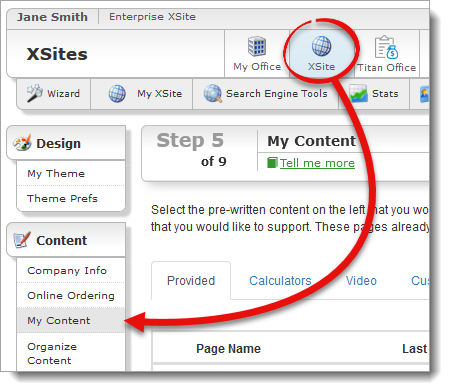
- Click XSite in the menu at the top and select My
Content from the the Content pane on the left.
- Now, in the list of the pages in your site, a GhostWriter icon (
 ) appears beside each
page where GhostWriter is available.
) appears beside each
page where GhostWriter is available.
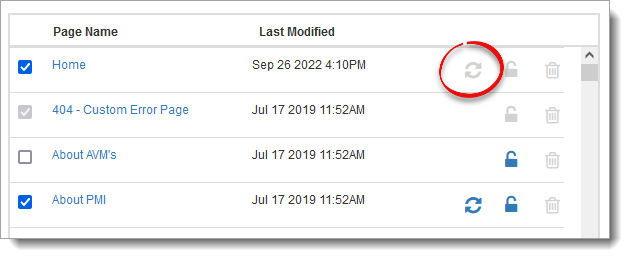
- Click on the name of any of page marked with this icon to open the Content
Editor.
- In the Content Editor, you'll see the name of the current template in the
drop-down box. Next to that you'll find the GhostWrite Page
button.
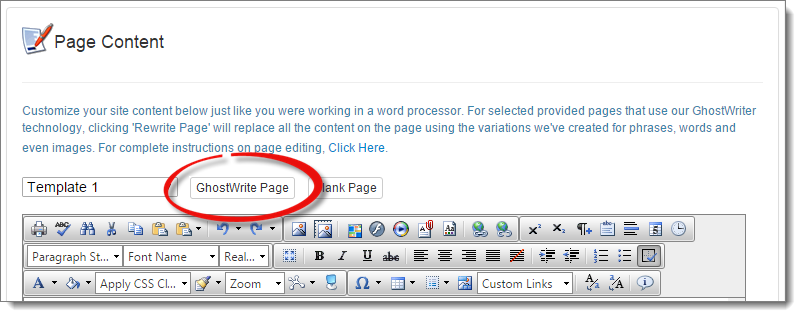
Click GhostWrite Page to create a new variation on the
selected template. Keep in mind that this is a variation on the prewritten
content; anything you have typed since you last saved will be changed when you
click this button.
- Now, you'll see the results of the rewriting in the Content Editor. If you
like, you can click GhostWrite Page again to see another
version of the content.
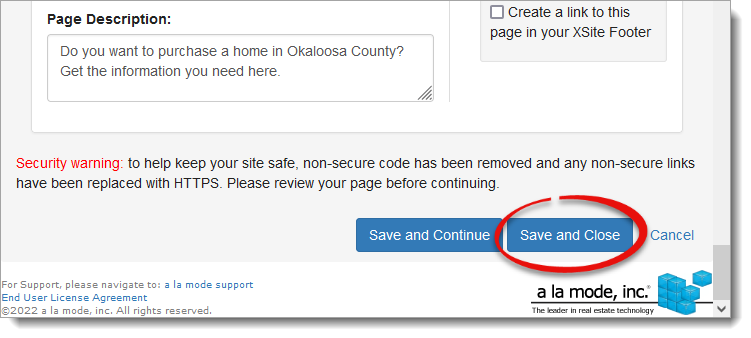
- When you're happy with your results, scroll to the bottom and click
Save and Close.
Now, you have the option to have your pages rewritten with fresh content on a
schedule, so you don't have to refresh them manually. To do so:
- In the My Content step of the Wizard, click the
GhostWriter icon.
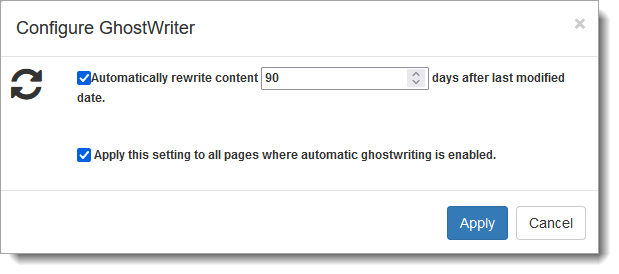
- A window appears which allows you to set a schedule on which your pages
will be rewritten with fresh content. You can also choose to apply this
rewriting schedule to any page where you've enabled the GhostWriter. Simply
check each box to enable the feature, choose the interval in which the page
should be regenerated, and click Apply.
When a page is scheduled to be rewritten, a blue GhostWriter icon (  ) appears next to the
page to indicate the the content for this page is scheduled to be
automatically rewritten.
) appears next to the
page to indicate the the content for this page is scheduled to be
automatically rewritten.
- After you've made your changes, be sure to click Save in
the upper right.